Optimization tool for Free Fire
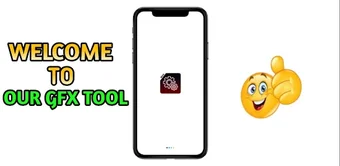
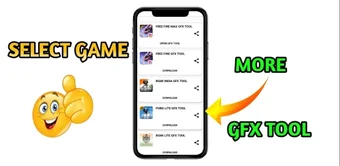
FREĒ FIRE MAX GFX TOOL is a free game utility from GoD Alion YT. This tool is designed to optimize your gameplay experience with the first-person shooter from Garena, Free Fire. It comes with a RAM optimizer and a lag fix capability to reduce stuttering, as well as a custom FPS capping feature.
Top Recommended Alternative
Unlike other GFX tools, FREĒ FIRE MAX GFX TOOL is completely safe to use. It doesn’t come with cheats and hacks that could get your account banned. Additionally, it has a straightforward layout for a streamlined user experience. You can also try GFX Tool - Free Fire Booster
Improve your gameplay experience
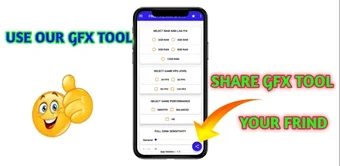
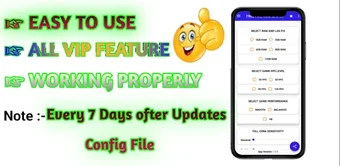
FREĒ FIRE MAX GFX TOOL improves the performance of Garena Free Fire on your device. Its RAM optimizer lets you choose how much device memory will be dedicated to the game. The options can be confusing since it allows as much as 120GB RAM, which may exceed your device specs and cause problems. You can also choose between performance presets, whether you prefer higher visual quality or smoother performance.
Another helpful feature is the FPS capping, which lets you control the frame rate. Lowering the frames per second improves performance, although it affects the visual quality. Aside from the visuals and game performance, you can also customize the game sensitivity. This overrides the game’s response to your touchscreen input. This helps improve your control by letting you fine-tune your movement and aim.
Aside from the simple, straightforward app layout, the game doesn’t include any hacks or cheats. This makes it safe to use, with no risks of getting your Free Fire account banned. It only overrides the game settings for a better gameplay experience. However, the app requires regular updates that have to be downloaded manually. This could prove troublesome for casual players.
A safe optimizer requiring manual updates
FREĒ FIRE MAX GFX TOOL enhances your Garena Free Fire experience by improving performance and visual quality through customizable settings. Its RAM optimization, FPS capping, and sensitivity adjustments offer greater control over gameplay. While the app is safe and user-friendly, the confusing memory options and the need for manual updates may be challenging for some users. Still, it’s a valuable tool for those looking to improve their in-game performance.

.png)